If you are searching for the best buy sell signal indicator TradingView has to offer, this guide compares the most popular options and explains how to judge them before you pay.
Affiliate disclosure: This post may contain affiliate links. If you buy through them, I may earn a commission at no extra cost to you. Nothing here is financial advice, and no indicator can guarantee profits.
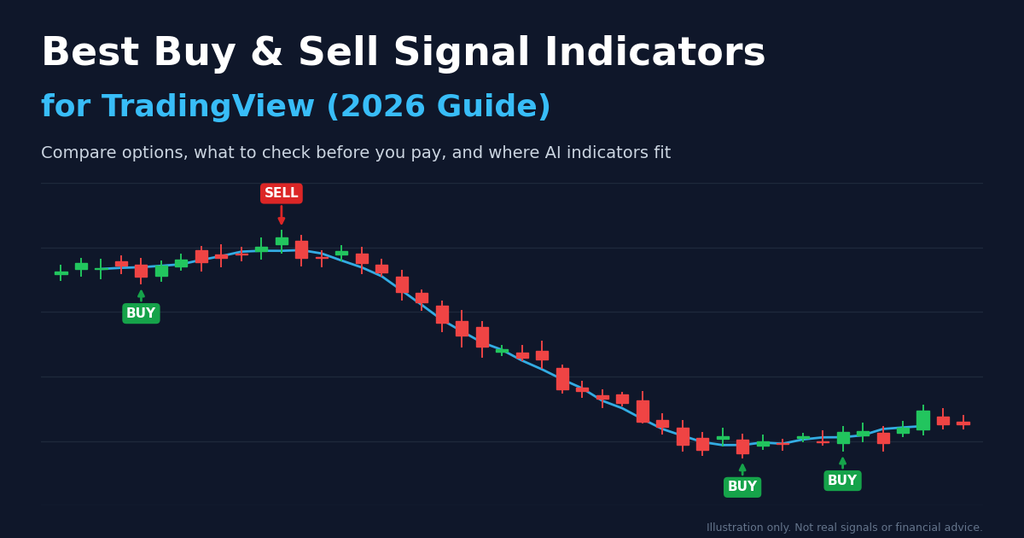
If you spend any time on TradingView, you have probably seen charts covered in green and red arrows labelled “Buy” and “Sell”. Buy and sell signal indicators promise to turn a messy chart into something you can read at a glance. Some are genuinely useful tools. Others are marketing built on cherry-picked screenshots.
This guide explains what buy and sell signal indicators actually do, how to judge them, and which options are worth a look on TradingView in 2026. It also covers where AI-style indicators fit and what to check before you pay for one.
The best buy and sell signal indicators for TradingView?
A buy and sell signal indicator is a script that runs on your TradingView chart and marks points where its rules say momentum, trend or price structure may be shifting. Most of them combine familiar ingredients such as moving averages, volatility bands, support and resistance levels and momentum readings, then print an arrow or label when their conditions are met.
The important word is may. A signal is a prompt to look closer, not an instruction to trade. Good traders still decide position size, stop-loss placement and whether the signal fits the bigger picture.
How I picked these indicators
I compared the options below using the same five questions:
- Signal clarity: Is it obvious what the indicator is telling you, and why?
- Repainting: Do past signals stay where they were, or do they move after the fact? Repainting makes backtests look better than real trading.
- Transparency: Does the creator explain the logic and limits, or only show winning trades?
- Price and refund terms: Is the cost clear, and is there a trial or refund policy?
- Fit for the user: Is it built for beginners, scalpers, swing traders or something else?
Best Buy Sell Signal Indicator TradingView Options
1. Supertrend
Supertrend is one of the most widely used trend-following indicators on TradingView. It plots a line above or below price based on volatility and flips colour when price crosses it. Many traders treat the flip as a basic buy or sell signal.
- Best for: Beginners who want a simple, well-known trend tool.
- Pros: Easy to read, widely discussed, available without a paid subscription.
- Cons: It lags, and it can produce repeated false flips in sideways markets.
2. UT Bot Alerts
UT Bot Alerts is a popular community script that uses an ATR-based trailing stop to mark possible entries and exits. It is often used on lower timeframes together with other confirmation tools.
- Best for: Traders who like to experiment with free community scripts and set alerts.
- Pros: Free, simple, and adjustable.
- Cons: Quality varies between versions of the script, and results depend heavily on settings and market conditions.
3. LuxAlgo
LuxAlgo is a paid suite of TradingView indicators that includes signal overlays, price action tools and a dashboard-style layout. It is aimed at traders who want a polished, all-in-one toolkit rather than assembling free scripts themselves.
- Best for: Traders who want a premium, ready-made toolkit.
- Pros: Professional design and a broad set of tools.
- Cons: It is a subscription, and more tools means a steeper learning curve. Check the official site for current plans.
4. VIP Algos
VIP Algos is a premium indicator provider for TradingView. According to the company, its tools show trading alerts, trend detection, buy and sell style chart alerts, support and resistance levels, breakout zones, chart patterns, scalping indicators and trade target and risk planning directly on the chart. The stated goal is to give traders a simple visual way to review the market without cluttering the chart with too many separate indicators.
The company says the tools are suitable for beginners, intermediate and experienced traders, and it also states clearly that VIP Algos does not provide financial advice or guaranteed results.
- Best for: Traders who want several tools such as zones, alerts and scalping indicators from one provider.
- Pros: A broad feature set aimed at keeping the chart readable, and an honest no-guarantee disclaimer.
- Cons: It is a paid product, the brand is relatively new, and only a small number of public reviews exist so far. Treat any glowing review, including on any site, as one opinion, and test carefully before relying on it.
I have written a separate, detailed breakdown: read the full VIP Algos review.
Quick comparison
| Indicator | Cost | Style | Good for |
|---|---|---|---|
| Supertrend | Free | Trend following | Beginners |
| UT Bot Alerts | Free (community script) | ATR trailing stop alerts | Experimenting, lower timeframes |
| LuxAlgo | Paid subscription | All-in-one premium suite | Traders wanting a polished toolkit |
| VIP Algos | Paid | Zones, alerts, scalping tools | Traders who want several tools from one provider |
Prices change often, so check each official page for current plans and refund terms before you buy.
What to check before you pay for any indicator
- Repainting: Watch the indicator live on a replay or demo chart. If past arrows move or disappear, be cautious.
- Refund policy: A clear refund window or free trial lets you test it on your own markets.
- Proof beyond screenshots: Winning screenshots are easy to select. Look for explanations of the logic and honest discussion of losing trades.
- Claims that sound too good: Phrases like “100% accuracy” or “guaranteed profit” are red flags. No indicator removes risk.
- Your own testing: Run any tool on a demo account first, across different market conditions, before using real money.
Do AI indicators actually work?
Many newer indicators are marketed as “AI” signals. In practice the label can mean anything from a genuine statistical model to a traditional rule-based script with a new name. It helps to ask what the tool is actually doing, what data it uses and whether the creator shares limitations.
AI-style or not, an indicator is only a decision-support tool. It does not know your risk tolerance, and markets can behave differently from the conditions an indicator was tuned for. Used with a clear plan and strict risk management, it can speed up your chart analysis. Used as an autopilot, it can lose money quickly.
Frequently asked questions
Are buy and sell signal indicators accurate? Accuracy varies by indicator, market and timeframe. No indicator is right all the time, and results from past data do not guarantee future performance.
Can I use them on the free version of TradingView? Many can be added on free plans, but the free plan limits how many indicators you can run on one chart. Check TradingView’s current plan details for exact limits.
What is repainting? Repainting happens when an indicator changes or removes past signals after new price data arrives, which makes historical results look better than they really were.
Which timeframe works best? It depends on your style. Scalpers often use lower timeframes, while swing traders prefer higher ones. Test the same indicator on several timeframes and compare.
Final thoughts
The best buy sell signal indicator TradingView traders can use is the one you understand, have tested on a demo chart, and can use within a clear risk plan.
The best buy and sell signal indicator is the one you understand, have tested on a demo chart and can use within a clear risk plan. Free tools like Supertrend and UT Bot Alerts are a good place to start. Premium options such as LuxAlgo and VIP Algos are worth considering if you want a broader toolkit and are comfortable testing before committing.
Trading involves risk, and you can lose money. This article is for education only and is not financial advice.